
Trending prompt
AI Professional Headshot: From Selfie to Corporate Portrait
The prompt that turns a phone selfie into a studio-style corporate headshot, a real result made here, and a button to make yours from your own photo.
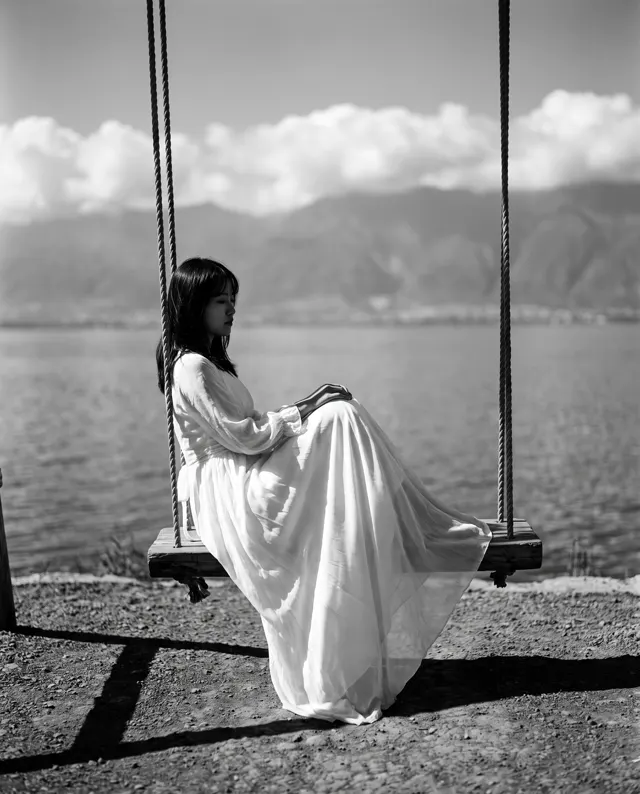
Original photo
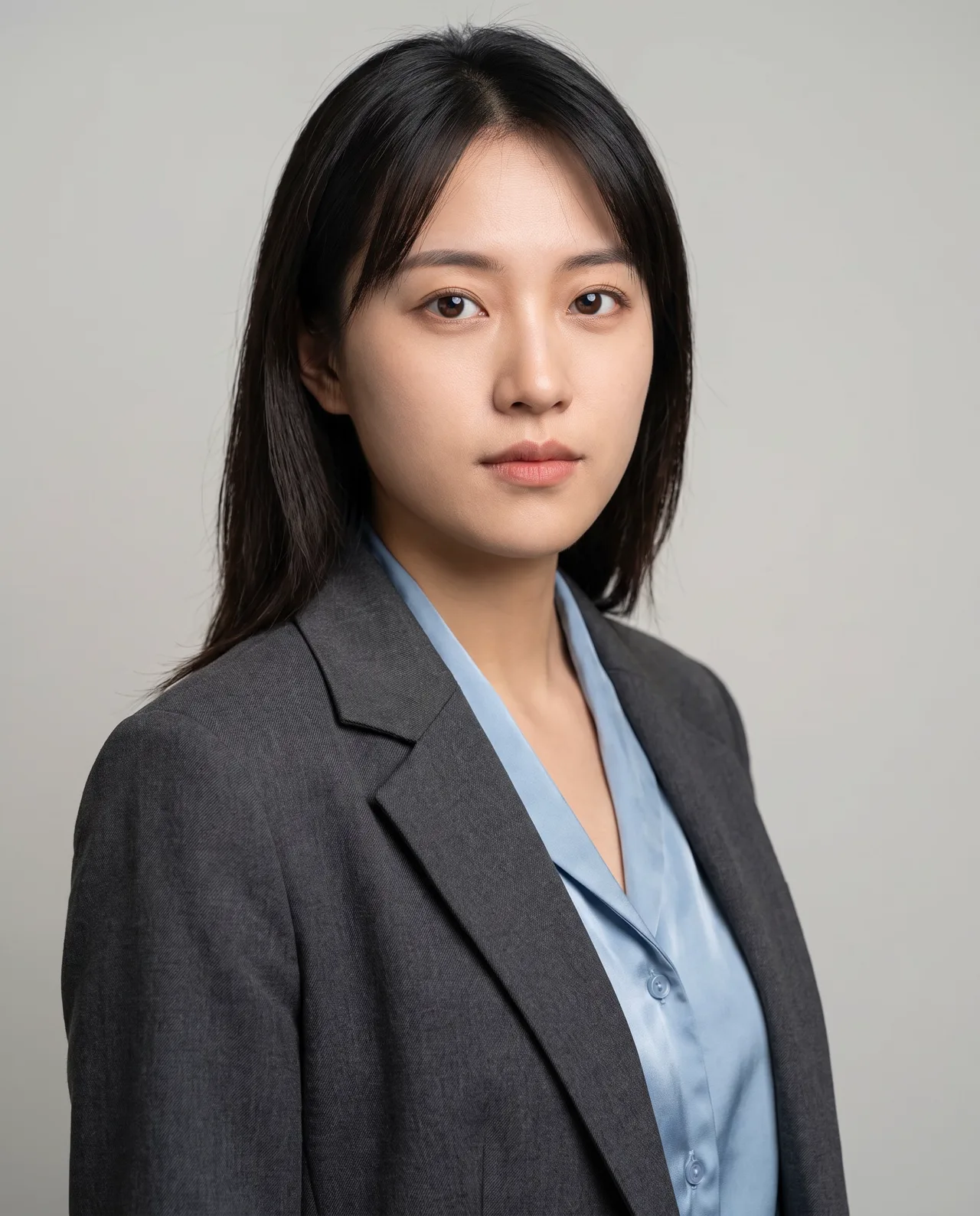
Result from the photo on the left
Prompt (copy & paste)
Turn this photo into a professional corporate headshot: neutral light-grey studio background, soft three-point lighting, business-casual outfit, shoulders angled slightly toward the camera, sharp focus on the eyes with natural skin texture, color photo shot on an 85 mm lens. Keep the person’s exact facial features from the original photo.
Each image costs credits you buy once, with no subscription required; new accounts can start with the first-order taster pack, and any image that fails is refunded. See all plans
Results are AI-generated and can differ from your photo, so check them before sharing. Only upload photos of yourself or of people and pets you have the right to use; uploads stay private in your account and can be deleted at any time.
Tools for this prompt
What is the AI Professional Headshot trend?
An AI Professional Headshot is the picture you would get from a corporate photographer: a neutral light-grey background, soft three-point lighting, a business-casual outfit, shoulders angled toward the camera and sharp focus on the eyes, shot as if on an 85 mm lens. The format went viral on social media in 2025 when people started posting their selfie next to the generated headshot and switching their professional profile pictures the same day. Your photo needs a sharp, front-facing face in even light with no sunglasses; a plain selfie against a wall is fine, since the background and outfit are replaced. PixBloom runs the AI Professional Headshot prompt as image-to-image, so your features come from the upload while the lighting, clothing and backdrop are rebuilt. Add up to four reference photos if you want more angles, wait about 30 seconds, and download the result without a watermark. Check that it still looks like you before you use it on a profile, then try a navy blazer or a white backdrop for a second version.
How to use the AI Professional Headshot prompt with your photo
Upload your photo
Pick one to four photos with the face clear, well lit and not hidden by sunglasses or shadows. One good front-facing shot is enough; extra angles help the result stay closer to you.
Paste the prompt and adjust
Copy the prompt into the studio, then change what you like: the city, the outfit, the season or the mood. Keep the line about preserving facial features so the result stays recognizable.
Generate and download
The first result arrives in about 30 seconds. Download it without a watermark, or run it again with a tweak. Images that fail or time out are refunded automatically.
AI Professional Headshot: tips for better results
Start from a sharp, neutral selfie
Use a photo with your eyes in focus, even light on both sides of the face and a relaxed expression. Skip wide-angle selfies taken at arm's length, which stretch the nose and jaw.
Specify the outfit and background
Replace 'business-casual outfit' with 'navy blazer over a white shirt' or 'dark knit top', and swap the grey background for white, charcoal or a blurred office if your industry expects it.
Use 1:1 or 4:5, leave headroom
Profile pictures crop to a circle, so generate at 1:1 or 4:5 and add 'space above the head, chest-up framing'. The face then stays centered after the platform applies its crop.
More AI Professional Headshot prompt variations
Turn this photo into a professional headshot for a tech company: soft white background, navy blazer over a white shirt, natural smile, sharp focus on the eyes, 85 mm look, keep the exact facial features.
Turn this photo into a professional headshot with a blurred modern office background, charcoal suit and open collar, soft window light from the left, confident neutral expression, keep the exact facial features.
Turn this photo into a creative-industry headshot: warm beige background, dark turtleneck, slight head tilt, soft directional light, fine skin texture, chest-up framing, keep the exact facial features.
AI Professional Headshot FAQ
AI Professional Headshot pricing: pay per image, no subscription
Taster pack · 15 HD images
150 credits that never expire. No subscription, one per account.
AI Professional Headshot: From Selfie to Corporate Portrait
The prompt that turns a phone selfie into a studio-style corporate headshot, a real result made here, and a button to make yours from your own photo.