A good AI image prompt describes a picture, not a wish. Write it in five parts — subject, setting, style, lighting and composition — in one or two plain sentences. That beats a long string of quality buzzwords every time, and it gives you a checklist to fix results that miss.
Why a formula beats guesswork
An image model fills every gap you leave with the most average option it knows. Skip the lighting and you usually get flat, frontal light. Skip the composition and the subject lands dead center. Skip the style and you get a generic look you have seen a thousand times.
The five-part formula is not a rigid syntax. It is a checklist you run before you press Generate: Is the subject specific? Where is it? Should it look like a photo or a painting? Where does the light come from? How far away is the camera?
The five parts at a glance
| Part | Question it answers | Example | Common miss |
|---|---|---|---|
| Subject | Who or what, and what do they look like? | a young woman in a yellow raincoat | “a girl”, with no look or action |
| Setting | Where, when, what weather? | a Tokyo alley at night, light rain | no time of day |
| Style | Photo, film still, anime, watercolor? | cinematic film still | clashing style words |
| Lighting | Where is the light and what color? | neon signs reflected in puddles | not mentioned at all |
| Composition | Shot size, angle, subject placement | waist-up, low angle, subject left of center | always a centered headshot |
1. Subject: identity, appearance, action
The subject goes first because it is what the model prioritizes. Compare:
- Weak: a cat
- Strong: a ginger shorthair cat curled up asleep on a knitted blanket, tail over its nose
Products work the same way. “A perfume bottle” and “a square amber glass perfume bottle with a gold metal cap” produce two different objects. Keep it to one main subject, two at most; every extra subject steals detail from the others.
2. Setting: place, time, weather
“In a café” is fine. “A small corner café on a rainy evening, droplets on the window” is better, because it hands the model lighting and mood cues at the same time.
3. Style: decide what it should look like
Style sets the medium: photograph, film still, anime, 3D cartoon, watercolor, Chinese ink wash and so on. On this site you can pick one of 12 style presets; once you do, there is no need to repeat style words in the prompt. One quirk worth knowing: the Photo type sometimes returns a moody black-and-white editorial look, so if color matters, say so (“vivid colors”, or name the colors). Our guide to AI art styles shows what each preset is good at.
4. Lighting: half the mood
The same scene reads as calm in early side light, blunt at noon, nostalgic in golden backlight and urban under neon. Useful phrases:
- Time of day: soft dawn light, harsh noon sun, warm golden-hour backlight, blue hour
- Practical light: a warm desk lamp, neon signs, candlelight, softbox studio light
- Light shapes: window-frame shadows, dappled light through leaves, water caustics, light beams through haze
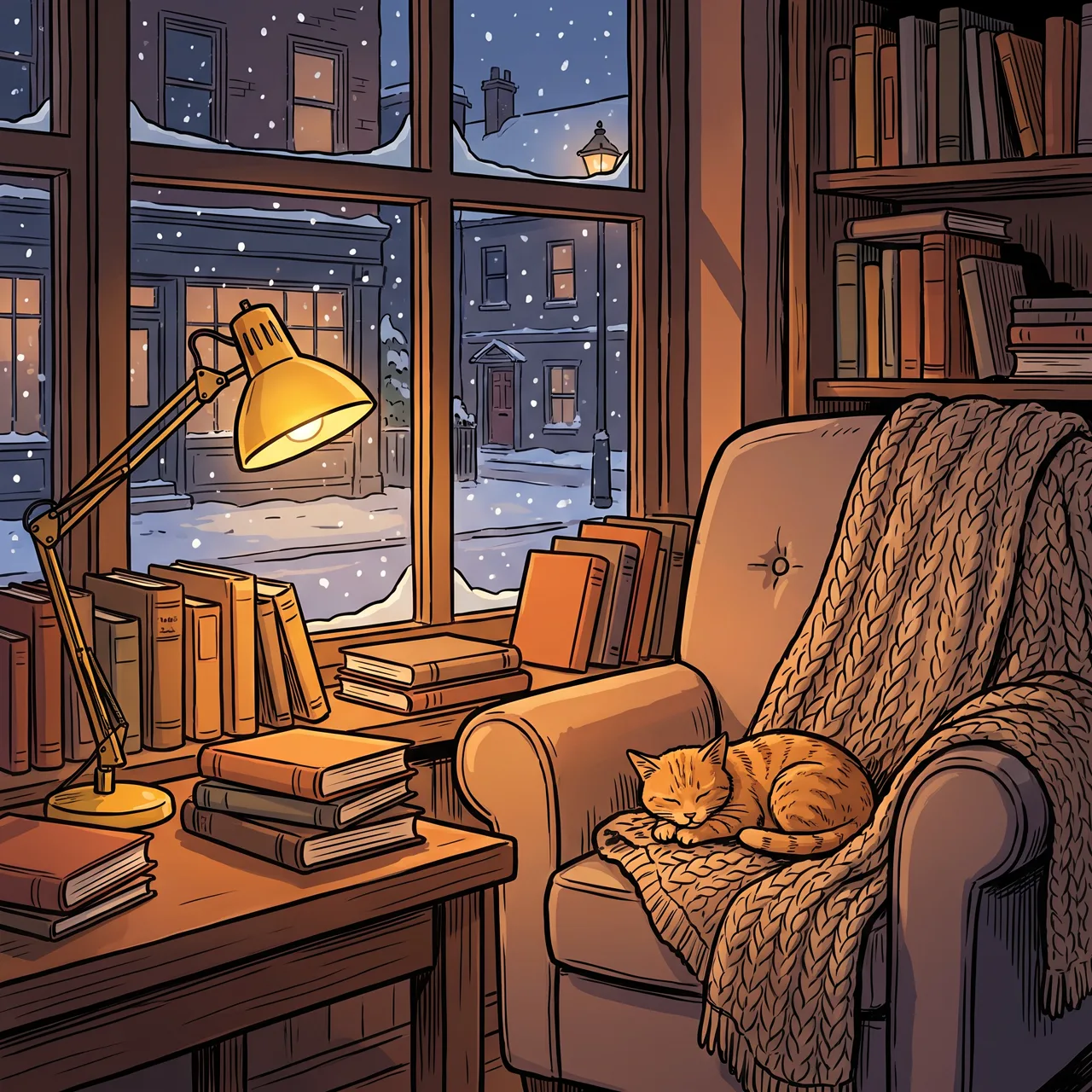
Prompt idea: snowy window, warm lamp light, stacked books and a sleeping cat — the warm/cold contrast does most of the work.
5. Composition: tell the model where the camera is
Name the shot size (close-up, waist-up, full body, wide), the angle (eye level, top-down, low angle) and where the subject sits. If you plan to add a headline later, say where the empty space goes: “a wide band of clear sky across the top third”. Aspect ratio is part of composition too — see which aspect ratio to choose.
Watch one prompt evolve
Here is how the Tokyo neon portrait in our gallery got from vague to specific:
- “A girl in Tokyo.” Anything could happen — a daytime crossing, a tourist shot at a shrine.
- Add a subject: “a young woman in a yellow raincoat standing in a Tokyo alley.” The person is fixed, but the light is flat.
- Add setting and light: “at night, neon signs reflecting in puddles, gentle rain.” Now there is a mood.
- Pick style and ratio: Cinematic preset, 4:5 portrait.
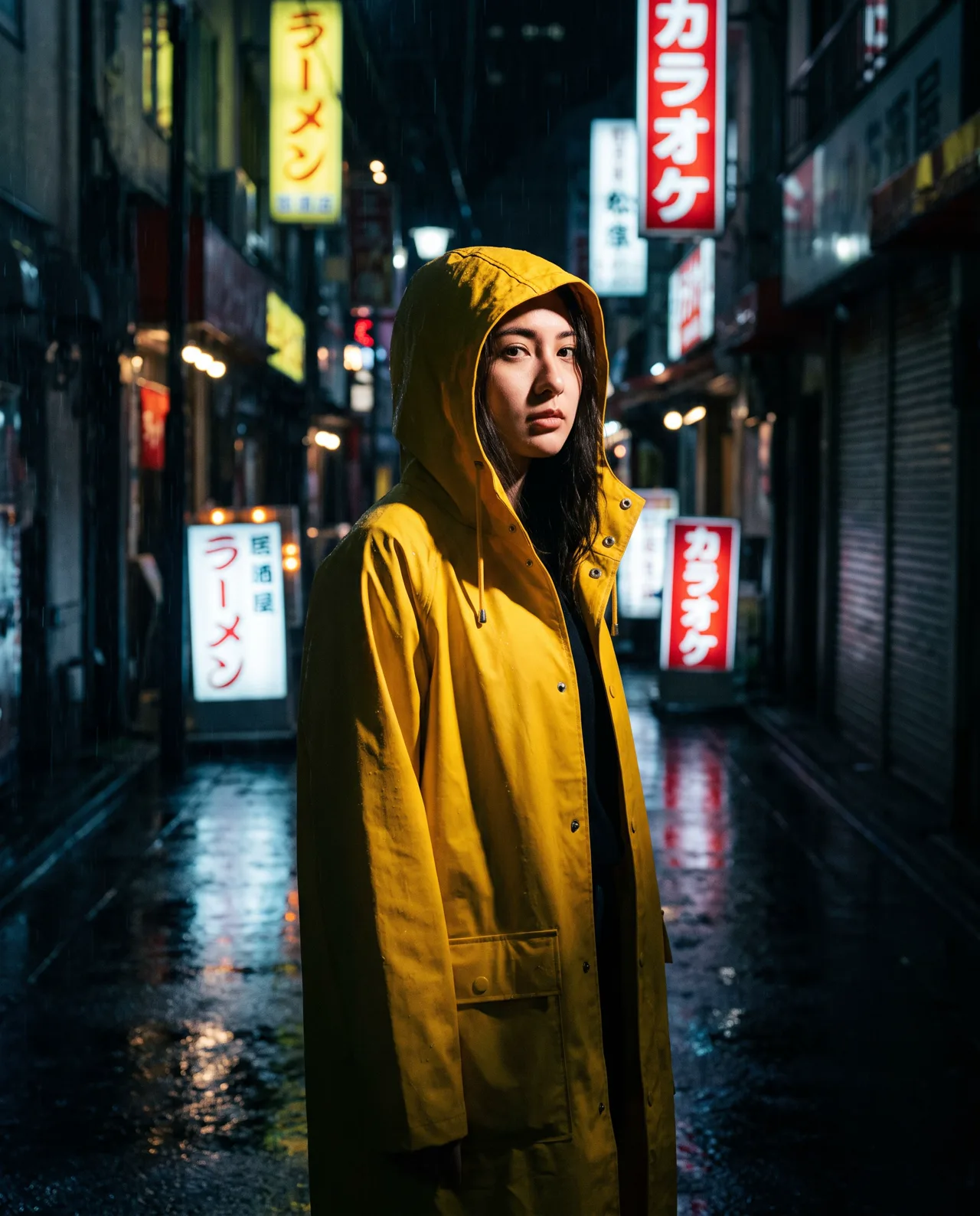
Prompt idea: yellow raincoat, rainy alley, neon reflections, Cinematic style, 4:5.
The final prompt is still one sentence. The yellow raincoat popping against the dark, wet street and red signs was decided in the prompt, not left to luck.
12 copy-ready prompt templates
Swap the bracketed parts for your own and paste into AI text-to-image.
People and lifestyle
1. [person] wearing [outfit] in [place], [action or expression], [time and weather], [lighting], [shot size]
2. [person] sitting in [interior] doing [activity], [weather] outside the window, [indoor light], cozy everyday mood
3. Close-up portrait of [person], [hair and makeup], plain [color] background, soft side light, magazine cover feel
Example: a woman with a short bob in a beige trench coat walking down a path covered in ginkgo leaves, looking back with a smile, late autumn afternoon, warm golden backlight, waist-up
Products and food
4. A [color and material] [product] on a [surface], with [props] beside it, [lighting], premium commercial photography
5. Flat lay of [products] on a [color] background with [props], natural sunlight shadows, top-down
6. A steaming [bowl/plate] of [dish], [toppings], [setting] blurred in the background, warm tones, close-up
Landscapes and wallpapers
7. [landform] at [time of day], [water or sky detail], [foreground elements], [color palette], wide view
8. [city or countryside scene] in [season], [weather], [small figure or animal], empty space along the bottom
Illustration and anime
9. [character] [doing something] in [place], [season and time], anime style, bright colors
10. A cute [animal] dressed as [role], holding [object], [background], 3D cartoon character
11. A little [shop or street] in [place], [animals or people], [plants and details], picture-book style
Posters and backgrounds
12. Key visual for a [event] poster: [main visual element], [atmosphere elements], [main colors], empty space at the [top/bottom] for a title
Browse the prompt library for more prompts shown next to the images they produced.
Six mistakes that waste generations
- Quality-word stacking. “Masterpiece, best quality, 8K, ultra-detailed” describes nothing. Spend those words on light and composition.
- Negative phrasing. There is no negative prompt here, and writing “no people” can draw attention to people. Say “an empty street” instead.
- Expecting accurate text in the image. By default the generator keeps text out unless you ask for it, and even when asked, spelling is unreliable. Add headlines, prices and taglines afterward in a design tool.
- Too many subjects. Three people, two dogs and a car in one frame rarely all come out right. Split them into separate images.
- Clashing styles. “Ink wash plus cyberpunk plus photoreal” confuses the model. If you want a blend, say which style leads: “ink wash painting with small accents of neon color”.
- Composition that fights the ratio. A sweeping horizontal coastline crammed into a 9:16 frame will be squeezed. Choose the ratio first, then write the composition.
Habits that make prompting faster
- Generate 2–4 images per run. Results vary every time; picking from four beats rewriting the prompt four times.
- Change one variable at a time. Swap only the lighting, or only the angle, so you learn which words matter.
- Need the same subject twice? Use image-to-image. Text-to-image reinvents the subject on every run. To put the same product, character or pet into new scenes, upload reference photos in image-to-image.
- Keep a prompt notebook. Everything you generate is saved in My images; pair your favorites with the prompts that made them and you will have personal templates within a week.
Ready? Open the studio and adapt one template above.