To generate anime art with AI, choose the Anime style and spend your prompt on three things: the character’s look and outfit, the setting with season and time of day, and the light. Use 1:1 for avatars, 9:16 for phone wallpapers and 16:9 for desktop wallpapers and wide scenes.
Decide what you’re making first
Anime requests fall into three groups, and each needs a different ratio and prompt focus:
| Goal | Ratio | Prompt focus | Character size in frame |
|---|---|---|---|
| Avatar / profile picture | 1:1 | Face, hair, expression, plain background | Head and shoulders, filling the frame |
| Character illustration | 4:5 | Full or half body, outfit details, pose, setting | Main subject, half the frame or more |
| Scene or wallpaper | 16:9 or 9:16 | Sky, time and weather, light, architecture | Can be tiny — even a silhouette |
Open the AI anime generator and pick the Anime style. It uses the Scene type, so you get clean line art, bright color and detailed backgrounds without writing “anime style” in the prompt.
Writing characters: a checklist
Anything you don’t specify is left to chance. Work through this list and characters become far more predictable:
- Hair: shoulder-length black bob, long silver hair, light-brown twin tails
- Eyes: amber eyes, gentle drooping eyes, a beauty mark under one eye
- Outfit: sailor uniform, high-collar school blazer, oversized hoodie, modern hanfu
- Accessories: headphones, hair clips, a scarf, a guitar case on the back
- Expression and pose: glancing back with a smile, chin in hand, hair flying mid-run
- Setting and light: see the next section
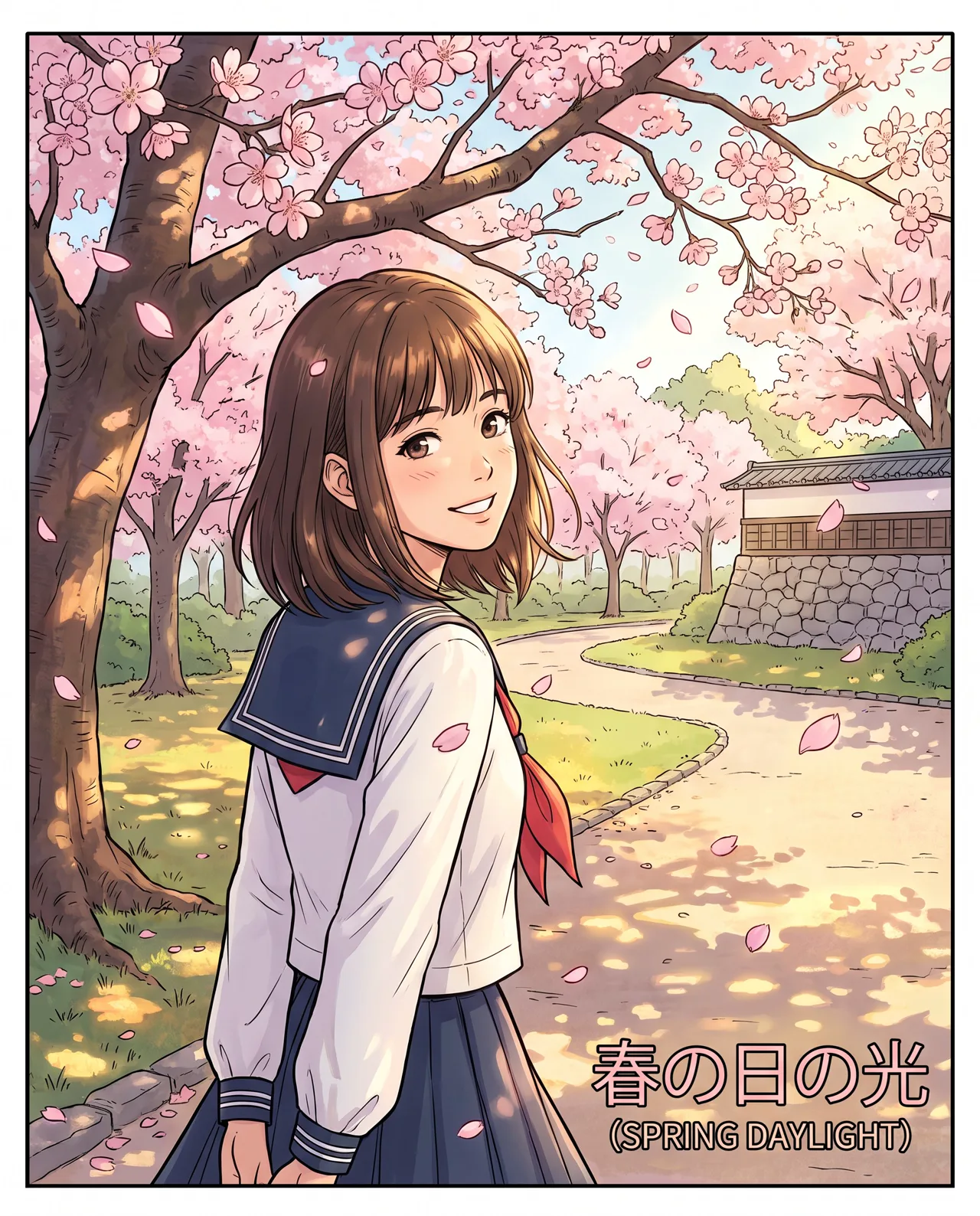
Prompt idea: a girl in a sailor uniform under a cherry tree, turning back with a smile, petals drifting, spring afternoon sun, Anime, 4:5.
Look closely and you’ll find a small caption the engine added on its own. Painterly images occasionally do this; generate a few and pick a clean one if it matters. The full prompt is on the image’s page.
Writing scenes: the anime-film look lives in the sky
The look people call “anime film” comes from three things: dramatic, finely detailed skies; strong backlight; and ordinary places rendered with love.
- Sky: blazing sunsets, towering summer cumulus, star fields, a rainbow after rain
- Light: sunset backlight, dappled light through leaves, light beams through a classroom window, streetlights on wet pavement
- Places: a school rooftop, a train platform at dusk, a coastal road, the front of a convenience store
- Chinese settings: a stone bridge in a water town, Beijing hutong rooftops, Chongqing’s stairways and monorail
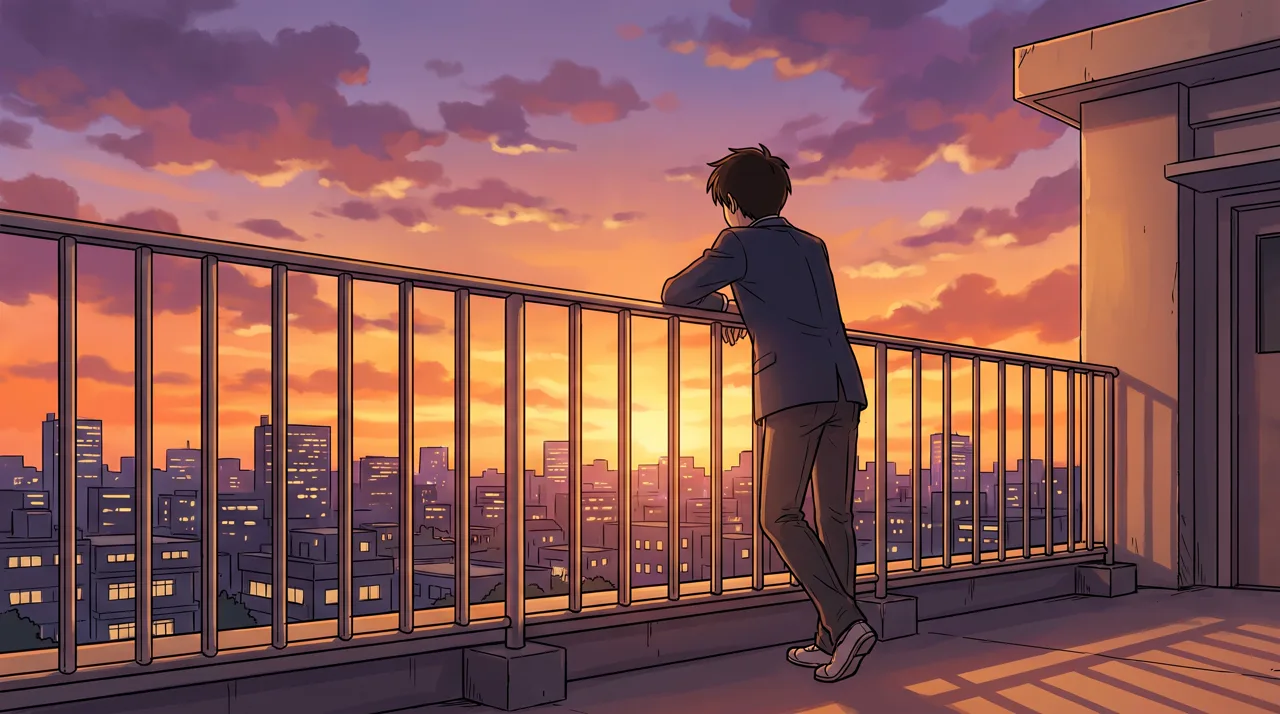
Prompt idea: a school rooftop at dusk, a boy leaning on the railing watching the sunset, city skyline, cinematic light and vivid clouds, 16:9.
The boy is seen from behind and most of the frame belongs to the sunset and the city; the emotion comes from the sky and the backlight. For scenes, don’t let the character fill the frame — let light tell the story.
Anime avatars: 1:1 plus a circular crop
Most platforms show profile pictures as circles, so generate at 1:1 and write “head-and-shoulders close-up, face centered, plain colored background”. Pick a background color that suits your profile and future avatar swaps will still match. More on framing in our aspect ratio guide.
Want the same character on your avatar, banner and stickers? Choose one favorite image, upload it in image-to-image as the reference, and generate each new expression or scene from it.
Anime wallpapers: portrait vs landscape
- Phone (9:16): put the character in the lower middle, leave sky at the top for the lock-screen clock, and keep details away from the left and right edges, which get trimmed slightly.
- Desktop (16:9): let the scene lead, place the character to one side, and leave room for icons.
Both ratios are available in the AI wallpaper generator.
Make original characters memorable
Memorable anime characters usually have three hooks:
- A signature color: one color that always appears in the hair, jacket or accessories — say, a red scarf they never take off.
- A constant prop: headphones, a film camera, a battered paperback that shows up in every image.
- A distinctive silhouette: a hairstyle or hat you could recognize in shadow alone.
Write all three into every prompt and pair them with an image-to-image reference, and your character will stay recognizable across a whole series — which is also what makes followers remember them.
Copy-ready anime prompts
Avatar: head-and-shoulders close-up of a girl with [hair], [eye color] eyes, [expression], [accessory], plain [color] background, face centered
Character: a [boy/girl] in [outfit] standing in [place], [pose], [season and time], a breeze lifting the hair
Scene: [place] at [time of day], [sky], [light], the small silhouette of a [person] in the distance
Rain: a rainy night, [character] holding a clear umbrella outside a convenience store, lights reflected on the wet street, quiet mood
Summer: a coastal road on a summer afternoon, giant cumulus clouds, a boy on a bicycle, strong sunlight and crisp shadows
Chinese town: a rainy lane in a southern Chinese water town, a girl in modern hanfu with an oil-paper umbrella crossing a stone bridge, blue-gray tones
Browse the anime section of the prompt library for more samples and prompts.
Fixing common problems
Strange hands. A long-standing weakness of AI art. There is no inpainting here, so the practical fixes are to generate four and pick, or choose poses with simple or hidden hands — “hands in pockets”.
Distorted faces on distant figures. Small faces lose detail. Either make the character larger or turn them into a back view or silhouette.
Not anime enough, or creeping realism. Check that Anime is selected and that your prompt contains no “photo”, “photorealistic” or “8K photography”. Our AI art styles guide explains how styles differ.
Wanting a specific show’s look or character. Don’t write show, character or studio names; famous characters are protected, especially for commercial use. Describe the look instead: “luminous sky, finely detailed clouds, soft glow”. See commercial use of AI images.
Write your character checklist, open the AI anime generator, and generate four — one of them will be your new favorite character.