To make product scene images in batches, upload one clear product photo to image-to-image and describe a new scene in a sentence. The whole picture is regenerated with your product as the subject. It isn’t background replacement, so lighting looks more natural, but check every image against the real item.
First, this is not background removal
Many people expect image-to-image to swap the background and leave the product untouched. The two techniques work very differently:
| Aspect | Background replacement | Image-to-image scene change |
|---|---|---|
| How it works | Cut the product out, paste it on a new backdrop | Use the product as a reference, regenerate the whole image |
| The product | Original pixels kept | Regenerated; shape and colors stay consistent |
| Lighting | Matched by hand, often looks pasted on | Light, reflections and shadows generated with the scene |
| Small text and details | Unchanged | May shift slightly; must be checked |
| Best for | Pure-white main images, pixel-exact shots | Lifestyle, seasonal, social and mood images |
We offer image-to-image only, not background removal. Where a marketplace requires a pure-white main image, use a real photo. Image-to-image handles the other job: the same product, in ten different places. For how all listing images fit together, see our AI product photo workflow.
Step 1: Shoot a good reference
The reference sets the ceiling. You don’t need a studio, just a phone and a plain wall:
- Plain background, nothing but the product. Whatever is in the reference may come along into the new scene, so the cleaner it is, the more control you have.
- Soft window light. Avoid harsh midday sun and colored lamps so colors are true.
- Fill at least half the frame, in sharp focus.
- Shoot several angles: front, three-quarter, back or top, and a detail. You can upload up to four.
- Face text and logos toward the camera. Small text is the most error-prone part, and a clearer reference means fewer errors.
The sneaker below shows why point 1 matters. Its reference was an ad with a big water splash, and when the shoe moved to a mountain trail, the splash came along too:
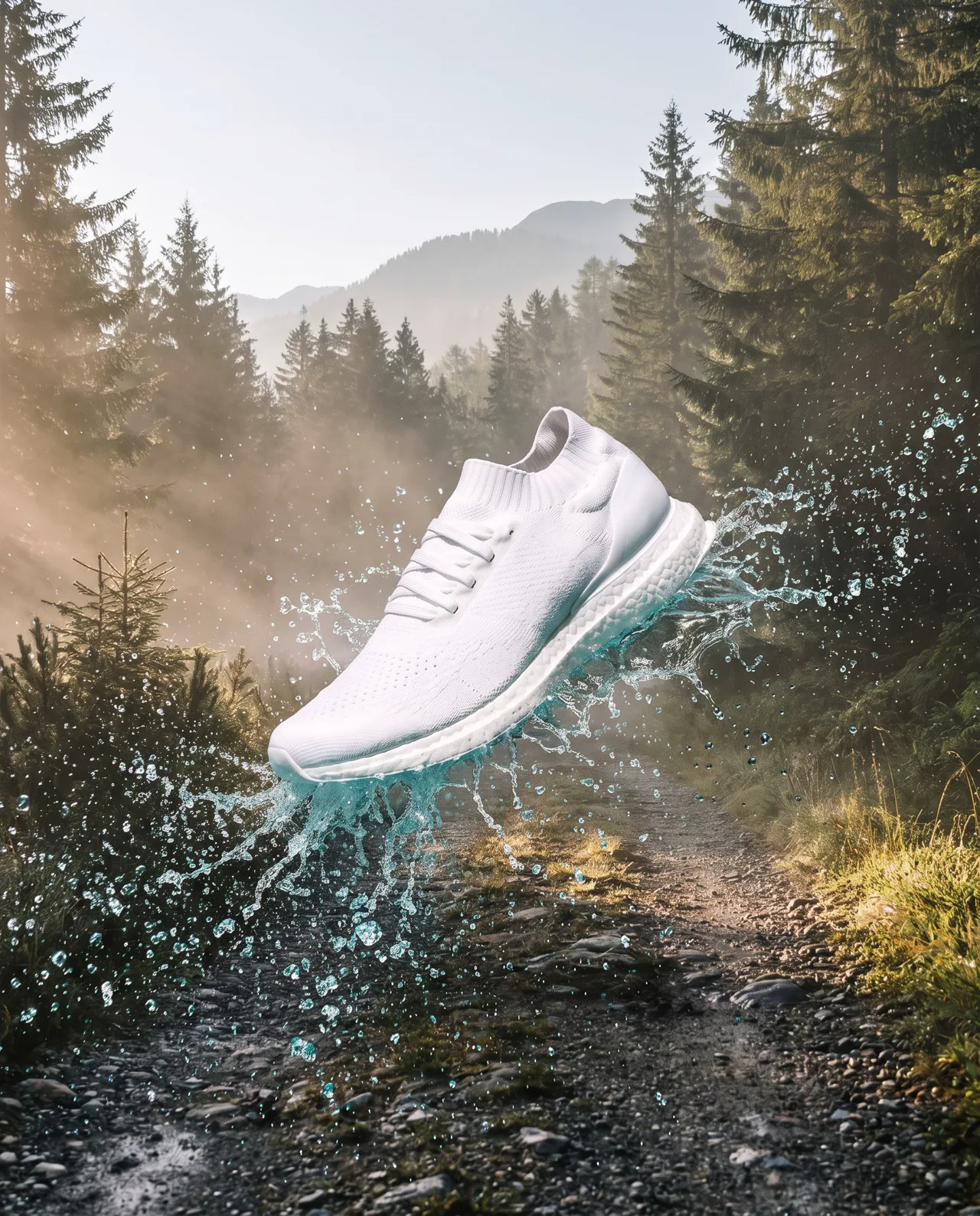
Prompt idea: upload the splash ad as the reference and describe “place these running shoes on a gravel mountain trail at dawn, mist and pine forest, outdoor sports ad”. The shoe is unchanged, and so is the splash from the reference.
If you want a shoe resting quietly on the trail, upload a clean product photo without the splash. The prompt is in the mountain trail entry.
Step 2: Describe the new scene in one sentence
Upload your reference in image-to-image and describe the scene. Refer to the product as “this perfume” or “these shoes” and let the reference carry its appearance. A good scene sentence has four parts:
Place this [product] on [surface or location], [props around it], [light], [purpose or style]
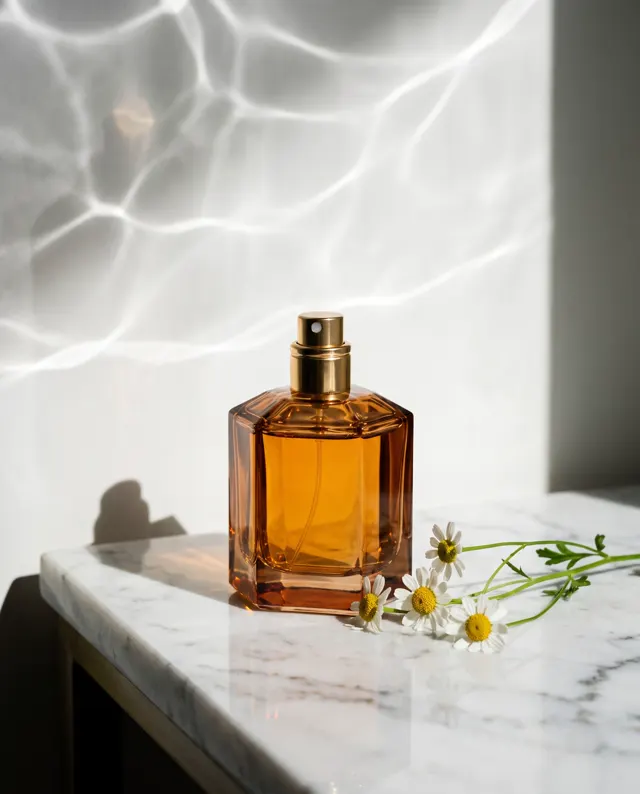
The perfume set below was made that way. The first image came from text-to-image and became the reference:
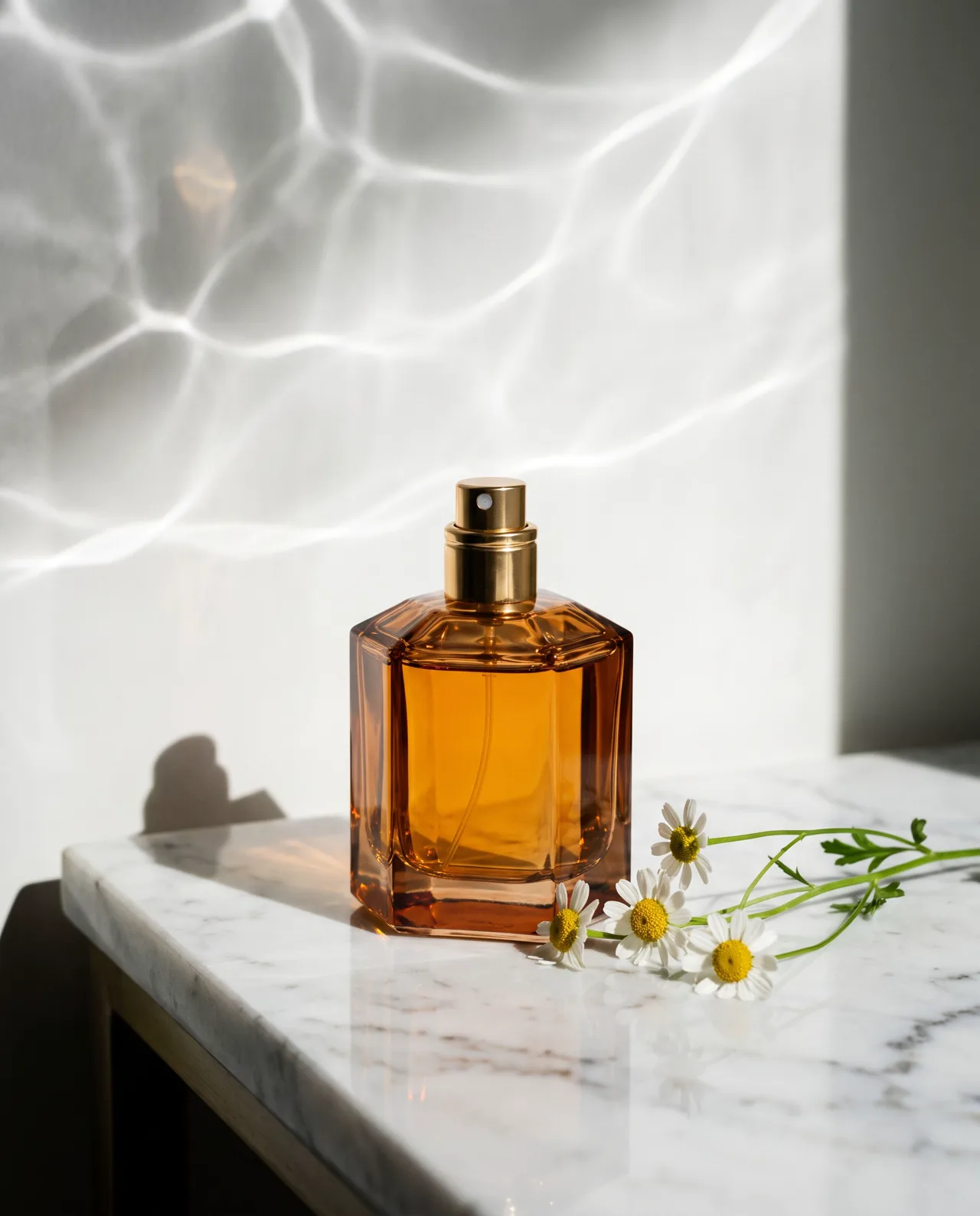
Prompt idea: an amber glass perfume bottle on white marble, a few small white daisies, soft water caustics on the background, Product style, 4:5.
Then it went into image-to-image with one line: Place this perfume in winter snow, surrounded by pine branches and red berries, soft blue morning light.
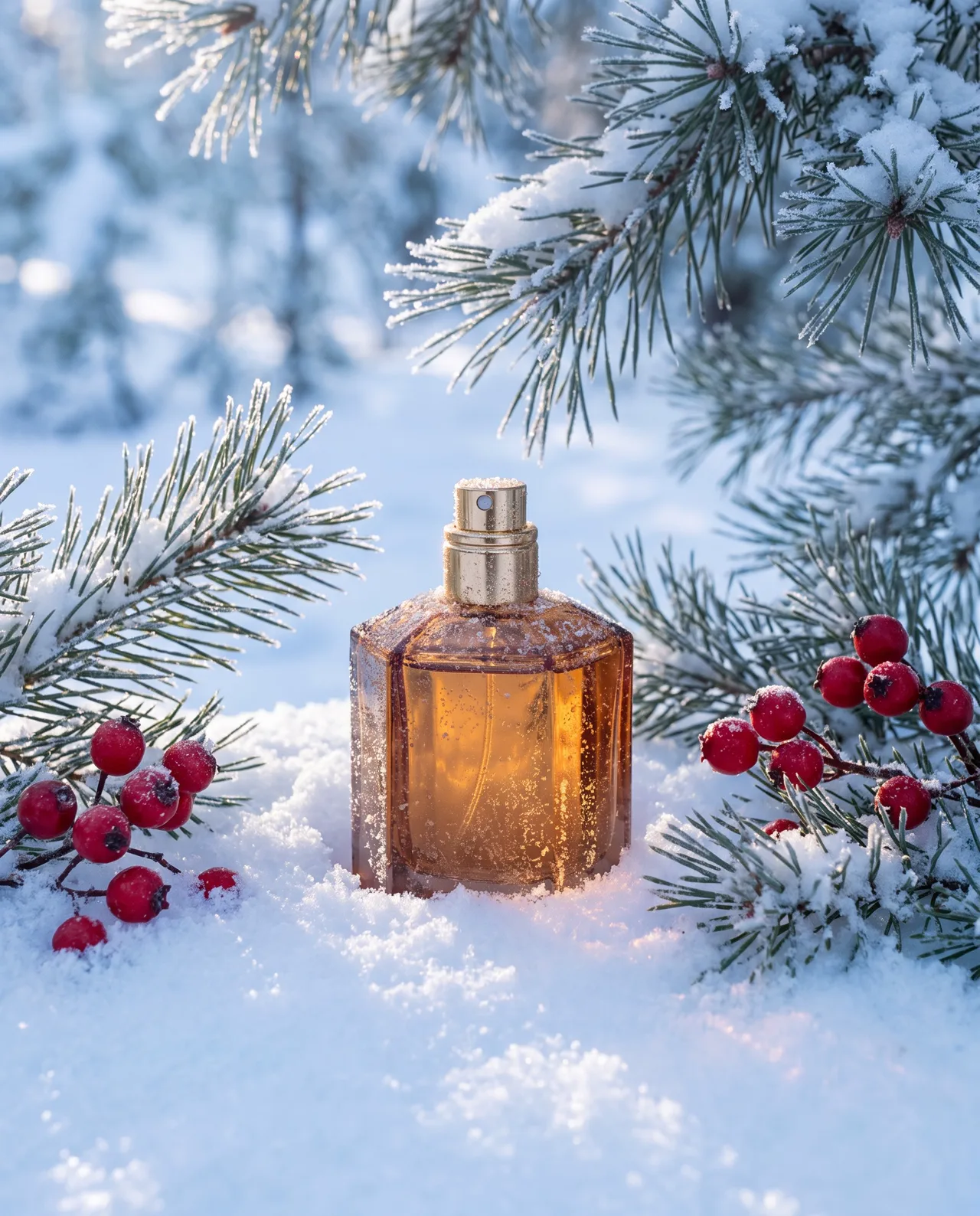
Prompt idea: upload the marble perfume shot as the reference and describe winter snow, pine and red berries, soft blue morning light. The bottle shape, amber color and gold cap match; the lighting is rebuilt for the snow.
The same reference also produced a sunset beach version, and a serum bottle went from a windowsill beside a monstera to a steaming spa. Both entries show the original prompts.
Step 3: One reference, ten scenes
With a good reference, you can plan a whole batch by purpose. For a perfume, ten scenes might look like this:
| # | Scene | Use | Ratio |
|---|---|---|---|
| 1 | White marble, water caustics | Main image, hero banner | 1:1 |
| 2 | Seaside rock at sunset, spray | Summer launch | 4:5 |
| 3 | Snow, pine branches, red berries | Winter and holiday campaign | 4:5 |
| 4 | Blush-pink water, floating petals | Benefit image: freshness | 1:1 |
| 5 | Bedside table, morning light, a book | Social and lifestyle | 4:5 |
| 6 | Among spring blossoms | Spring launch | 4:5 |
| 7 | Beside a red gift box and ribbon | Gifting season | 1:1 |
| 8 | Pale plaster plinths, soft side light | Brand page, product page header | 16:9 |
| 9 | Hotel bathroom vanity | Travel context | 4:5 |
| 10 | Dark wood table, candlelight | Evening mood, premium line | 4:5 |
Habits for batch work:
- Use one kind of light per campaign. If every image in a set says “soft morning light”, they sit well together.
- Choose the ratio before generating. If one scene needs both a 1:1 main image and a 4:5 social image, generate twice rather than cropping.
- Make two to four per scene and keep the one with the most faithful product and the most natural light.
- Prepare seasonal scenes early. Winter, Lunar New Year and Mid-Autumn sets are worth making a week or two ahead; see festival marketing images for campaign ideas.
At two to four images per scene, ten scenes take roughly 20 to 40 images. Each costs 10 credits on the standard model or 4–8 on the others and takes about 30 seconds, failed images are refunded automatically, and you can budget against the pricing page.
Step 4: Check every image before it goes live
However good it looks, compare each image with the real product:
- Shape and proportions: has the bottle, shoe or bag warped or stretched?
- Color and finish: has amber turned orange, or matte turned glossy?
- Text and logos: is the packaging text correct? Where legible packaging matters, use a real photo.
- No exaggeration: a scene must not imply features the product lacks; pair a shoe with water spray only if it really is splash-resistant.
- Rights and labeling: no other brands’ logos in the scene, and label AI content per platform rules. Our guide to commercial use of AI images has details.
Find more e-commerce prompts in the prompt library, or start from the AI product photo tool. Once your reference is ready, upload it to image-to-image and make the first scene.