No single tool suits everyone. Choose Midjourney for top-tier aesthetics, LiblibAI or TusiArt to play with community models, Recraft for vectors and icons, Gaoding AI for e-commerce design, and Jimeng AI, Wenxin Yige or this site for everyday work from Chinese prompts. Pick by use case, not by ranking.
Note: compiled in October 2026. AI tools change fast; check each official site for current features, free quotas and prices. We deliberately list no prices.
How we compared them
“Which one makes the prettiest picture” is only part of the story. Day to day, five things matter:
- Quality and aesthetics: how good the default output looks, and whether details hold up.
- Language understanding: can you describe the picture naturally in your language, including Chinese?
- Control: reference images, model choice, vector output, adjustable parameters.
- Learning curve: how long until a first-time user gets an image they like.
- Pricing model: free quota, subscription or pay-per-image — and how easy it is to pay from where you are.
The tools at a glance
| Tool | Positioning | Key strengths | Free option (as of Oct 2026) | Best for |
|---|---|---|---|---|
| Midjourney | The aesthetic benchmark | Strong at photoreal, fantasy, cinematic and anime | Limited trial, then paid plans | Designers and artists chasing image quality |
| LiblibAI | China’s large model-sharing and generation community | Huge range of anime, game and photo models | Daily free compute | Advanced users who want to pick models |
| TusiArt | Runs SD and FLUX models in the browser | Many models, no local setup | Daily free compute | The same, preferring a web workflow |
| Recraft | Vector and graphic design | Vector output, precise control, team collaboration | Check official site | Graphic designers, icons, brand assets |
| Felo AI Image | Multi-model aggregator | Many styles, natural-language input | Free quota | Comparing several models in one place |
| Jimeng AI | From ByteDance | Strong Chinese understanding, text- and image-to-image, fast in China | Daily free points | Creators working in China |
| Wenxin Yige | From Baidu | Good Chinese semantics, simple, strong on Chinese aesthetics | Check official site | Beginners, Chinese-style art |
| Gaoding AI | E-commerce and commercial design | Product images, poster backgrounds, A+ pages, AI photo editing | Check official site | Online sellers and marketers |
| This site | Lightweight generation with native Chinese prompts | 4 ratios, subject-reference image-to-image, pay per image, no watermark | Free trial credits for new users | Social, e-commerce and marketing visuals |
Tool by tool
Midjourney: the benchmark, with a learning curve
Midjourney is widely regarded as the best overall for aesthetics, producing high-quality photoreal, fantasy, cinematic and anime images. The trial is limited and it runs mainly on paid subscriptions, and its tutorials and prompt culture are largely English-language, so getting great results takes practice.
LiblibAI and TusiArt: China’s model playgrounds
Both are online platforms built on the Stable Diffusion ecosystem. LiblibAI is China’s large community for sharing models and generating online, with a deep catalog of anime, game and photographic models; TusiArt runs SD and FLUX models directly in the browser. Both offer daily free compute. The upside is near-infinite style; the cost is a learning curve in models and parameters. One important detail: community models carry their own licenses, so check each before commercial use.
Recraft: vectors for designers
Recraft can output vector graphics, offers precise control and supports team collaboration, which suits icons, illustration assets and brand visuals. If your output goes straight into Figma or Illustrator for editing, it fits better than any raster tool.
Felo AI Image: several models, one prompt box
Felo aggregates several mainstream models with many styles and natural-language input, plus a free quota. It’s a sensible first stop if you don’t yet know which model suits you; results vary between models, so expect to compare.
Jimeng AI and Wenxin Yige: big-tech Chinese experiences
Jimeng AI, from ByteDance, understands Chinese prompts well, supports both text-to-image and image-to-image, is fast inside China and gives daily free points. Wenxin Yige, from Baidu, has good Chinese semantic understanding and a simple interface; it suits Chinese aesthetics, traditional-style themes and basic creative design, and is friendly to beginners.
Gaoding AI: e-commerce design in one place
Gaoding AI focuses on e-commerce and commercial design — product main images, poster backgrounds, A+ content pages — and includes AI photo editing. If your work involves cut-outs, retouching and template layouts, its coverage is broader.
This site: honest positioning
Strengths and gaps, side by side:
- What it does: reads Chinese and English prompts natively, up to 2,000 characters; four ratios (1:1, 4:5, 9:16, 16:9) with output up to 4K; 12 style presets; image-to-image with up to four references to place the same product, character or pet in new scenes; 10 credits per image on the standard model and 4–8 on the others, 1–4 per run, automatic refunds on failure; no watermark.
- What it doesn’t: no inpainting, upscaling, background removal, negative prompts or seeds; no video; text inside images is unreliable and should be added afterward.
If your workflow depends on retouching, vectors or model fine-tuning, one of the tools above will serve you better. If you mainly need fast social images, product scenes and poster visuals — especially from Chinese prompts — this site keeps things simple.
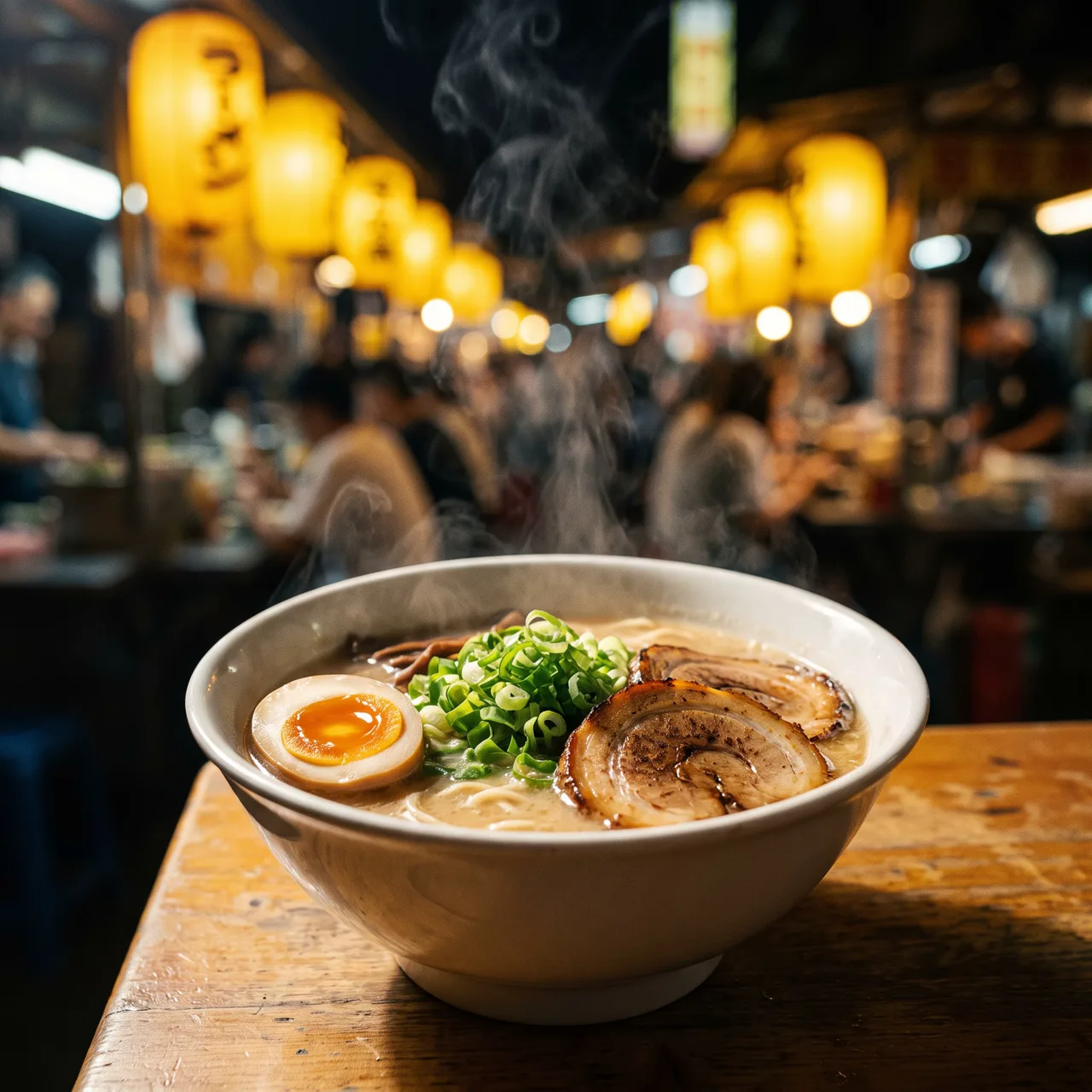
Prompt idea: one Chinese sentence — tonkotsu ramen at a night-market stall, soft-boiled egg, chashu, scallions, warm lantern bokeh.

Prompt idea: a marble product shot used as the reference, moved to a sunset beach with one sentence while the bottle stays consistent.
Which tool for which job
| You need | Look at first | Why |
|---|---|---|
| Top-tier aesthetics, concept art | Midjourney | Widely seen as the strongest overall |
| Anime, game art, specific community models | LiblibAI, TusiArt | Huge model catalogs |
| Logos, icons, vector illustration | Recraft | Vector output for further editing |
| Product images plus cut-outs and retouching | Gaoding AI | E-commerce templates and editing |
| Product scenes from your own photos | This site, Jimeng AI | Image-to-image keeps the subject |
| Everyday social visuals from Chinese prompts | Jimeng AI, Wenxin Yige, this site | Natural Chinese input, fast output |
| Chinese traditional styles | Wenxin Yige, this site | Chinese aesthetics and ink presets |
| Comparing many models | Felo | One entry point, several models |
Three questions before you choose
- What do you mostly make? Photos, illustration, vectors or product images narrow the shortlist fast.
- Must the subject stay consistent? For product and character series, choose a tool with reference images; see text-to-image vs image-to-image.
- How do you like to pay? Occasional users do well with daily free quotas or pay-per-image; heavy users may prefer a subscription. Our credit packs and monthly plans are on the pricing page.
Before using any of them commercially
Terms differ between services, and community models may carry their own licenses. Whatever you use, avoid trademarks, real people’s likeness and famous characters, and label AI content where platforms require it. Our guide to commercial use of AI images has the details.
The tool is the starting point; the prompt sets the ceiling. Our five-part prompt formula works in all of them. To try this site, start with text-to-image or copy a ready-made prompt from the prompt library.