Here is how our free tier works: new users get trial credits, each image costs 10 credits on the standard model or 4–8 on the others, failed images are refunded automatically, and after that you pay per image. To turn trial credits into more good images, decide the basics before you generate, borrow proven prompts, and change one thing at a time.
What “free” means here
Plenty of sites call themselves a free AI image generator, and the rules vary widely. Ours are:
| Item | Details |
|---|---|
| Trial credits for new users | Granted at sign-up and usable immediately; the amount is shown when you register |
| Cost per image | 10 credits on the standard model, 4–8 on the others; ratio and style don’t change the price |
| Images per run | One to four, charged per image |
| Failed generations | Credits refunded automatically |
| Watermark | None; images are saved in My images for download |
| After the trial | Buy a plan or a credit pack on the pricing page |
One distinction matters: an image that generates successfully but that you don’t like is not a failure, so its credits are not refunded. How many good images your trial credits buy depends almost entirely on how clearly you think before each click.
To compare free allowances and pricing models across other tools, see our roundup of AI image generators.
Four decisions to make before you generate
Most wasted credits come from discovering the direction was wrong after the image is done. Settle these four things first:
- Ratio. 4:5 for Instagram and Xiaohongshu posts, 9:16 for phone wallpapers, 16:9 for slides. The wrong ratio means the wrong composition, and cropping usually cuts off the point, so you regenerate. Check the aspect ratio guide if unsure.
- Image type and style. Photo or illustration? Choosing the image type and a style preset is more reliable than stacking style words in the prompt.
- Text or no text. The generator keeps text out of images by default, and requested text can be misspelled. Add headlines, prices and slogans afterward instead of spending credits on retries.
- Is the subject yours? If it must be your actual product, pet or existing character, go straight to image-to-image. Text-to-image designs a new subject every time; no number of retries will turn it into your cat.
Test in stages instead of starting with four
Generating four at once is convenient, but if the prompt points the wrong way, all four miss and, on the standard model, 40 credits are gone. A cheaper rhythm has three stages:
| Stage | Images per run | Goal |
|---|---|---|
| Scout | 1 | Is the overall direction right: subject, style, composition? |
| Adjust | 1–2 | Change one variable at a time, such as only the light or only the background |
| Finalize | 3–4 | With the direction locked, make several and keep the best details |
Changing one variable at a time is the key habit. If you change the light, background and framing together and the image improves, you don’t know which change worked; if it gets worse, you don’t know what to undo.
Don’t start from scratch: reuse proven prompts
The first few attempts at a prompt written from nothing are usually exploration. It is cheaper to find an image close to what you want in the prompt library. Each entry lists the original prompt and settings, so you can copy it and change a word or two.
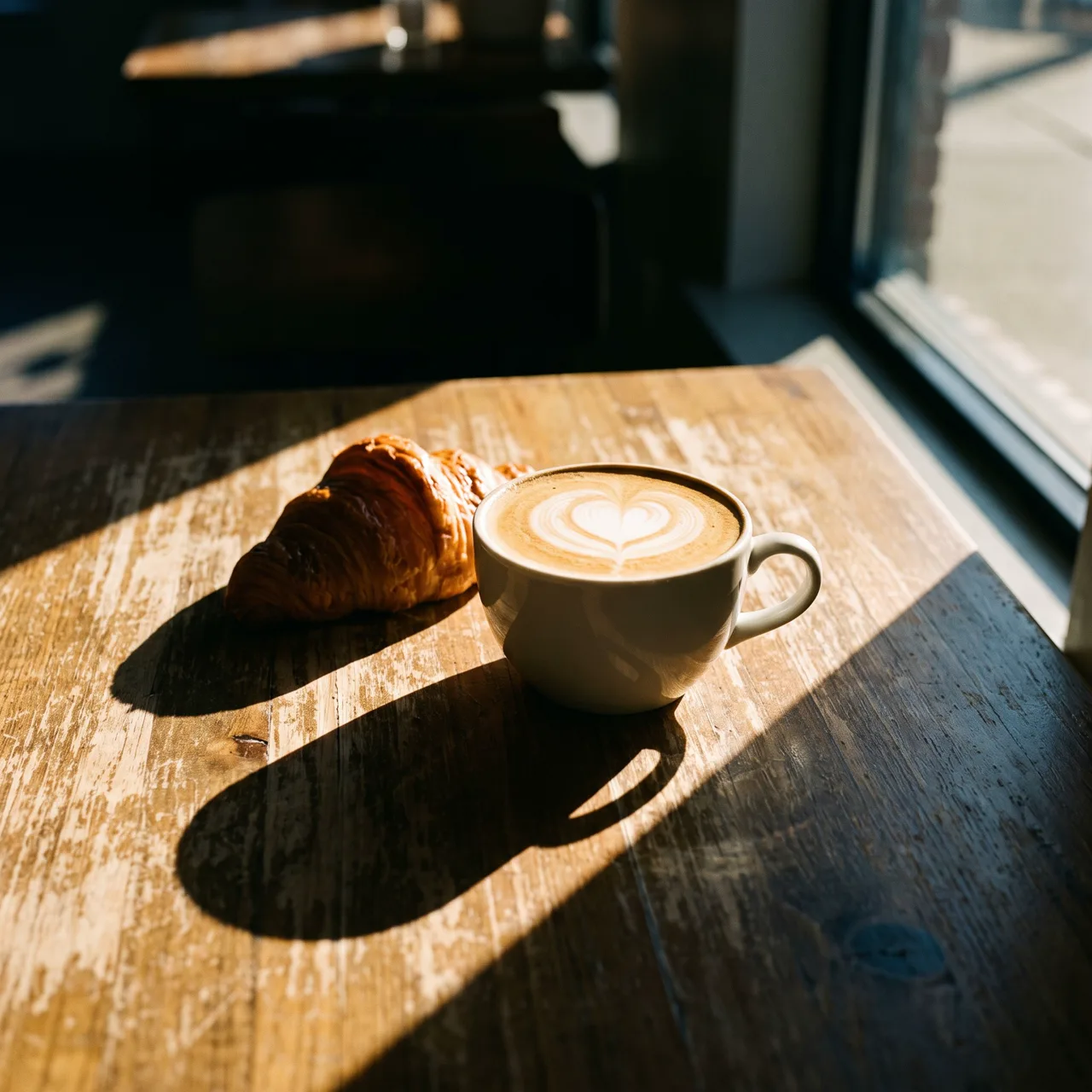
Prompt idea: latte and croissant by a café window in the afternoon, wooden table, warm sunlight, Photoreal style, 1:1. A café owner could swap the croissant for their signature pastry and keep everything else.
A realistic trial-and-error run with this image on the standard model (10 credits each) might look like this:
- Copy the latte and croissant prompt, change “croissant” to “cinnamon roll”, and generate one image: 10 credits.
- If it comes back as a moody black-and-white photo, add “color photo” at the start and generate one more: 10 credits.
- With the direction right, generate four and keep the best: 40 credits.
That is 60 credits for a usable image. What you save compared with starting from zero is the rounds spent guessing the direction.
When you write a prompt you’re happy with, keep it in a notes file. Your images stay in My images, and with your prompt notes beside them, the next similar job is a quick edit.
Turn one good image into a series with image-to-image
When people need a series, they often keep rerolling text-to-image, hoping for “the same one again”. That is one of the most expensive habits there is. Once you have a character you like, upload it to image-to-image and describe the new scene. The character keeps its look, with no luck involved.
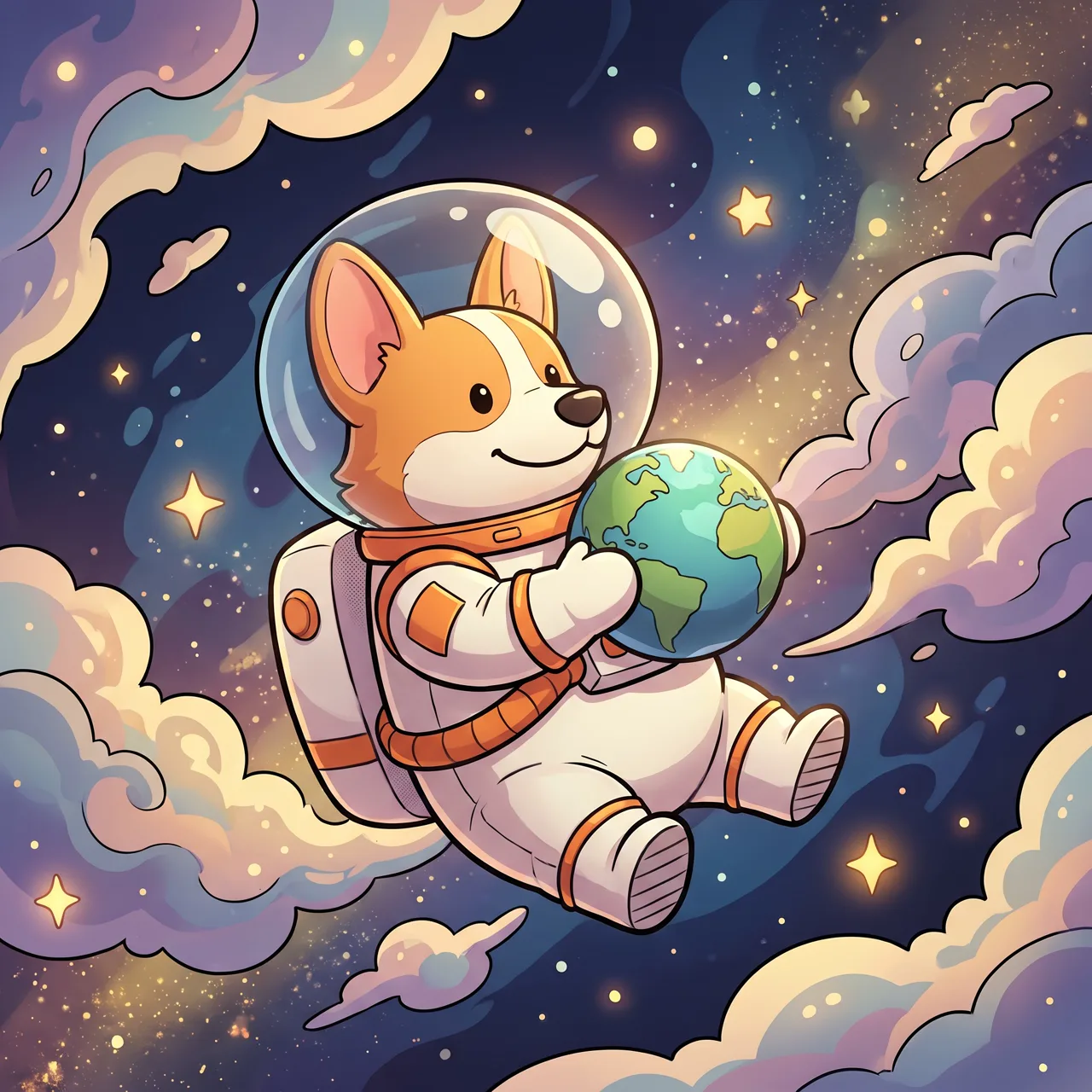
Prompt idea: a cute corgi astronaut floating in space holding a tiny planet, stars and colorful nebula behind, 3D Cartoon style, 1:1.
Using that image as the reference with one line, “have this corgi surf at the beach in a little life vest, bright sunshine, splashing waves”, produced this:
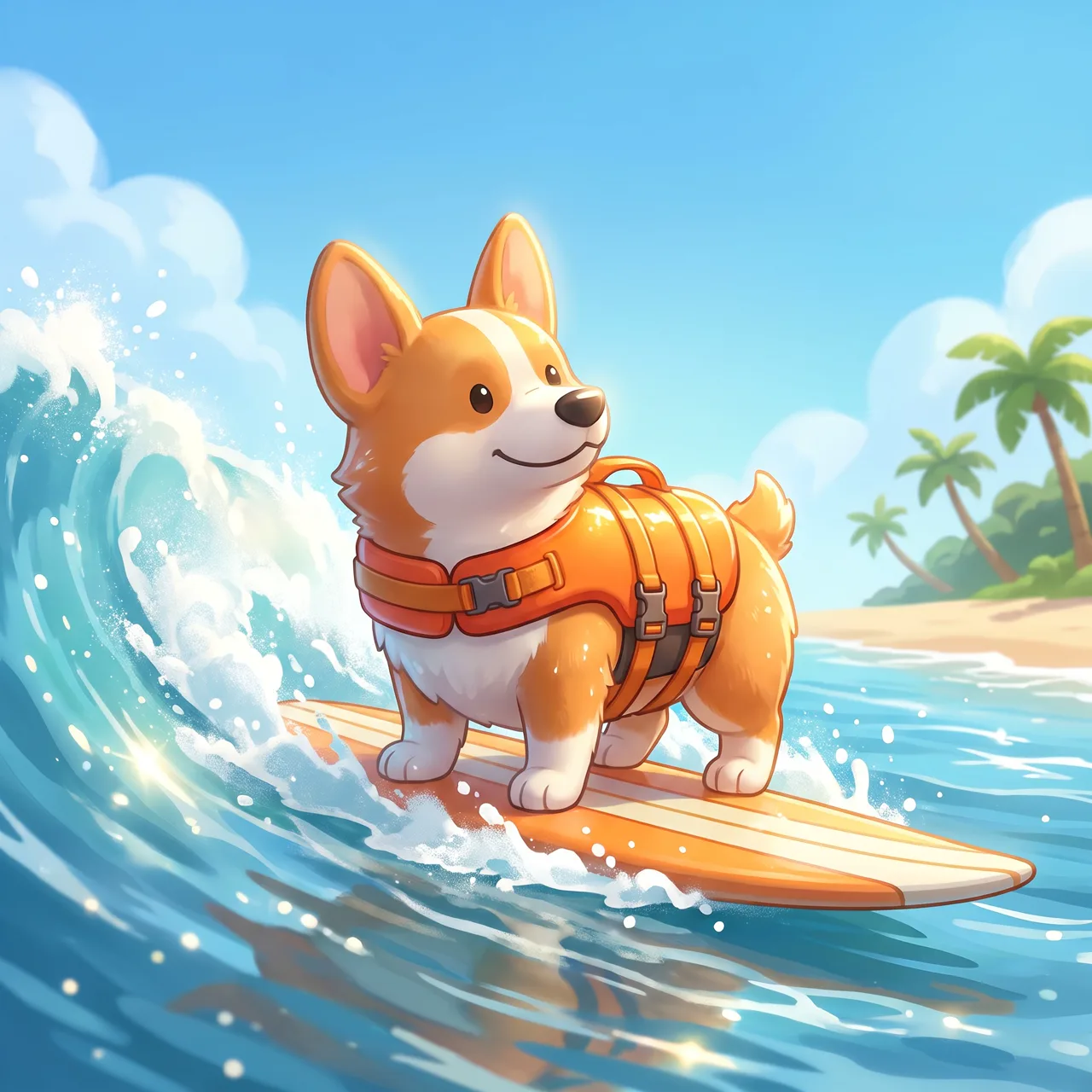
Prompt idea: upload the corgi astronaut as the reference and describe surfing in a life vest. Same ears, markings and smile, a completely different scene.
Describing “a corgi surfing” in text-to-image instead would give you a different corgi, and matching the original could take several paid rounds. The original prompt is in the corgi astronaut entry.
Six common ways credits get wasted
- Quality-word stuffing. “Masterpiece, 8K, ultra-detailed” describes nothing. Spend the words on subject, light and composition.
- Negative phrasing. There are no negative prompts, and “no people” can make people appear. Say “an empty street” instead.
- Changing too much at once. You can’t tell which edit worked, so you keep guessing.
- Wrong ratio, then cropping. The cropped composition rarely works, and you regenerate anyway.
- Asking for exact text. Retries may never spell it right; adding it later takes one step.
- Hunting for the same character with text-to-image. That is image-to-image’s job.
For specific problems such as wrong colors, off-center composition or stray text, see what to do when AI images go wrong.
After the trial
Trial credits are enough for a few free images, so you can judge whether the results suit what you need. After that, the pricing page offers monthly or yearly plans and one-time credit packs that don’t renew. A plan suits people who generate every week; a pack suits occasional use. Every option includes all styles, ratios and image-to-image, and current prices and credit amounts are listed there.
When you’re ready, open text-to-image and start by adapting a prompt from the library.